PageStack

Merge.Split.Sign.

Every PDF job in one app for iPhone and iPad, and every tool works on your device. No account, no uploads.

Download on theApp Store
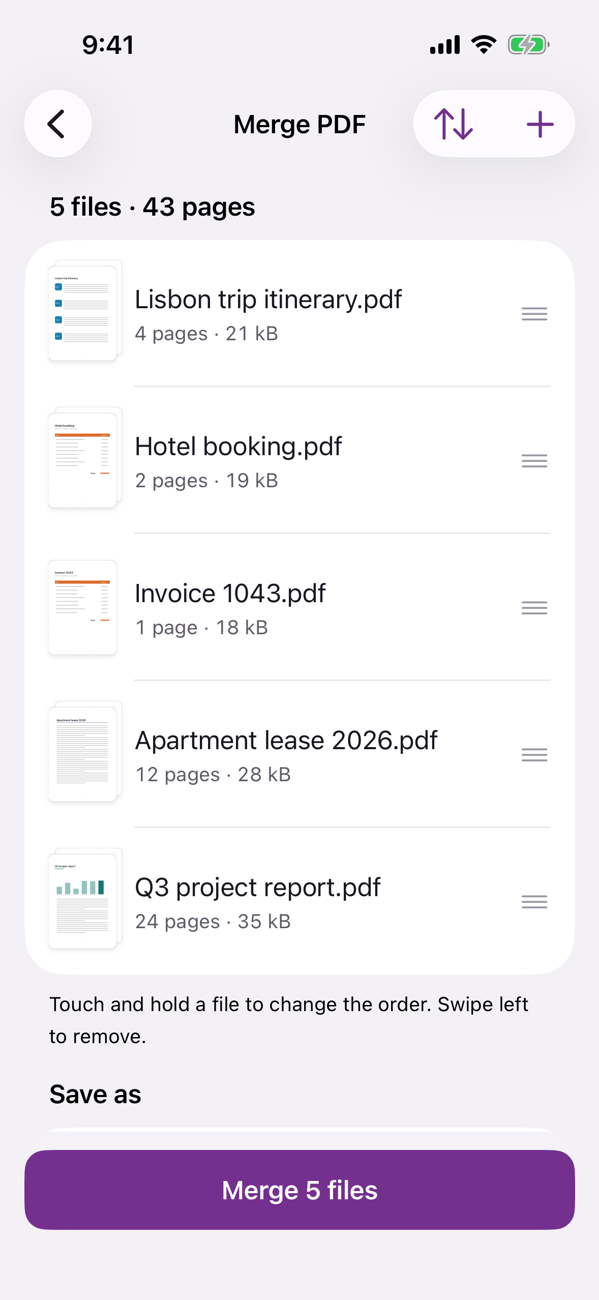
PageStack's Merge screen with five documents in order, ready to merge

The whole stack

Seventeen tools, grouped the way you work. Open a PDF or photo from Files, Mail or Safari and pick one.

Merge PDFPDFs and photos into one file, in your order
Split PDFBy range, single pages, every few pages
OrganizeReorder, rotate, delete, insert pages
Images to PDFPhotos, camera or Files, with page options
ScanDocuments, ID cards (front and back) and books
CompressSee the size before and after
PDF to imagesPages as JPG or PNG
ProtectAdd an open password
UnlockRemove a password you know
SignDraw it or take it from a photo, tap to place
Fill formsType into PDF form fields
Mark upHighlight, draw, text boxes, shapes
Page numbersPosition, start and format
WatermarkText, opacity and angle
Make searchableText recognition for scans
Extract textCopy or save all the text
Office to PDFWord, Excel, PowerPoint, Pages and more
Sign.

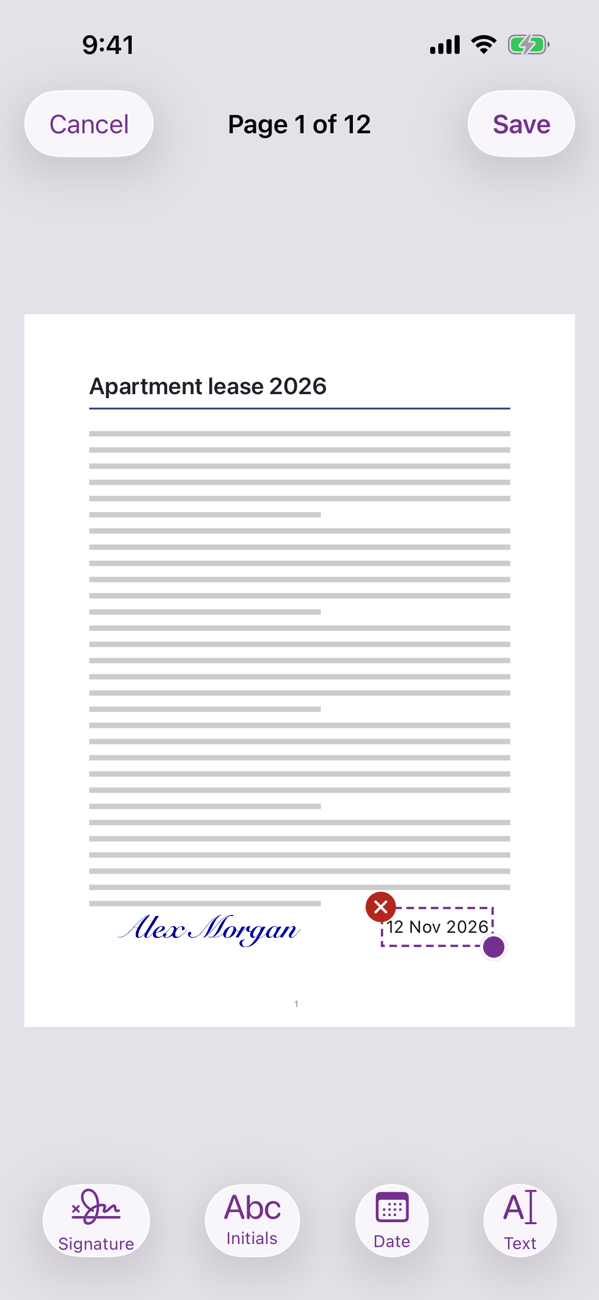
Draw your signature once, or take it from a photo of one on paper. Tap where it goes, add the date, done.

A signature and date placed on the last page of a lease

Organize.

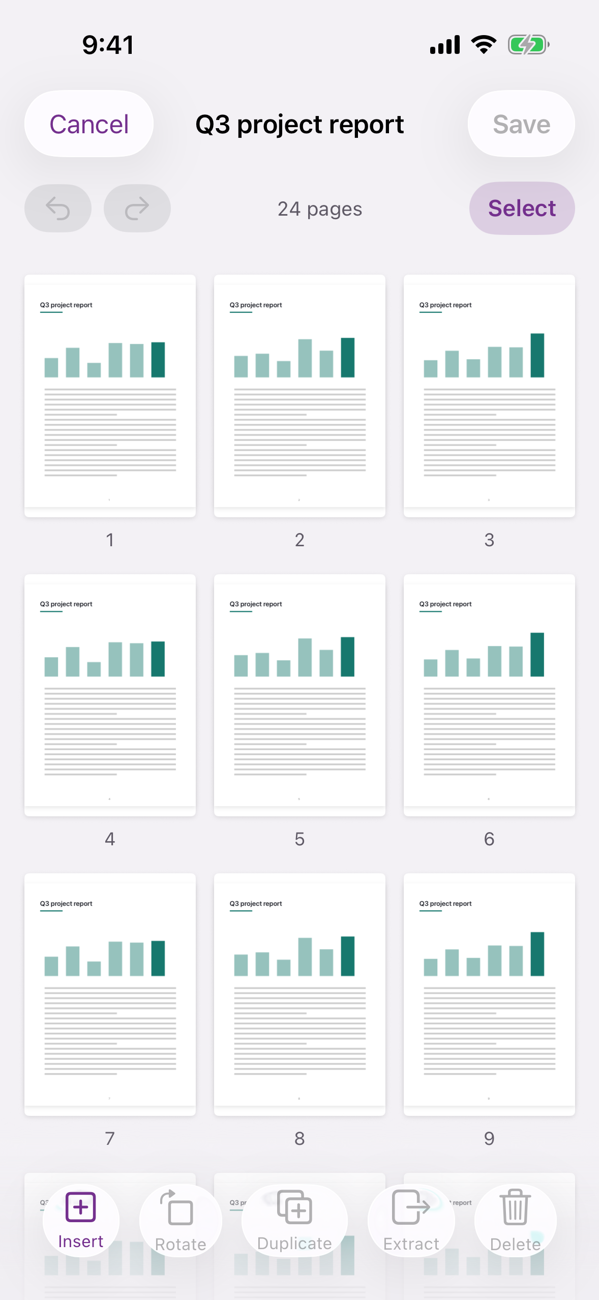
Every page as a thumbnail: drag to reorder, rotate, delete or pull pages into a new file, with undo.

A grid of page thumbnails ready to reorder

Scan.

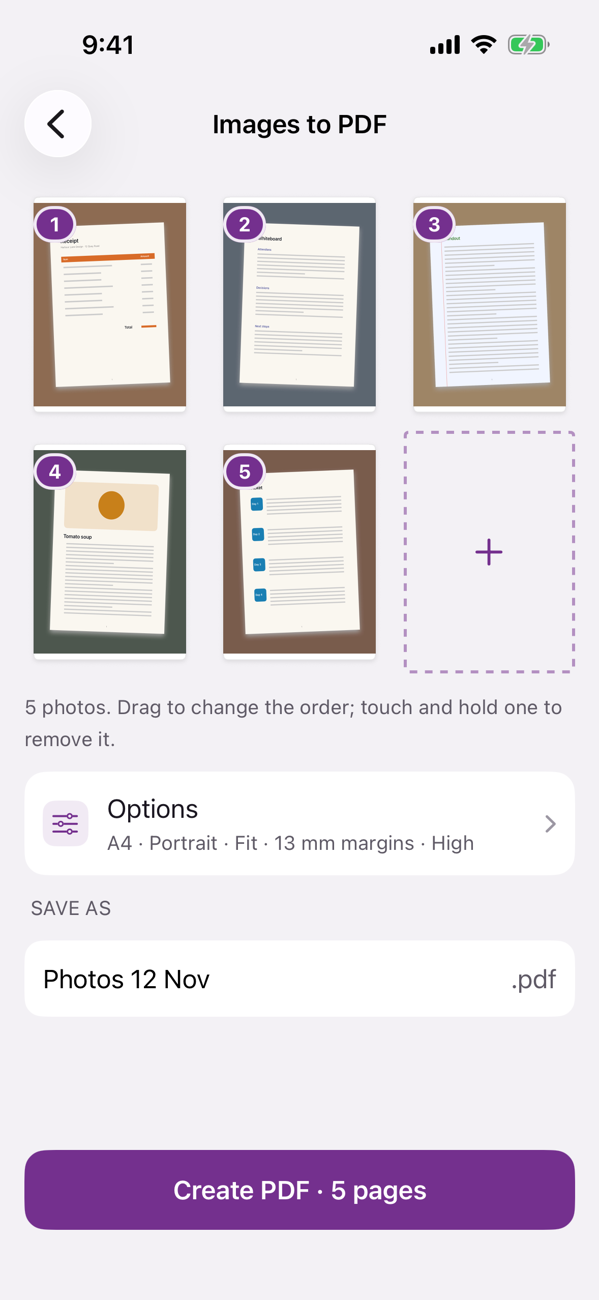
Turn paper into PDFs with automatic edges, or turn photos of receipts and notes into one tidy file.

Photos of paper documents ready to become one PDF

Your files stay yours

PageStack does its work on your iPhone or iPad. Files are never uploaded, and there's no account to make. The app sends only anonymous crash reports and anonymous counts of which tools are used, never file names or contents. Read the privacy policy.